


Boston Herald
2.4375.00 Reviews
App Specs
- Version
- 10.0.60
- Updated On
- License
- Free
- Downloads
- 50,000+
- Developer
- MediaNews Group, Inc.
- Categories
- News & Magazines
- Platform
- Android
Screenshots
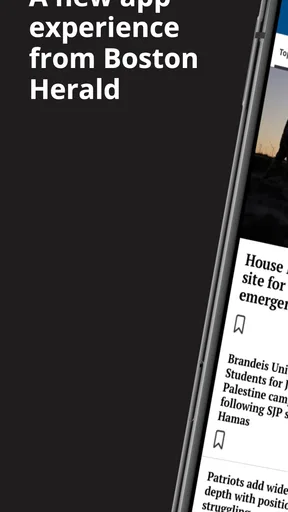
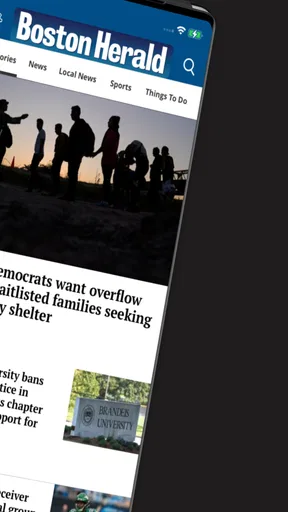
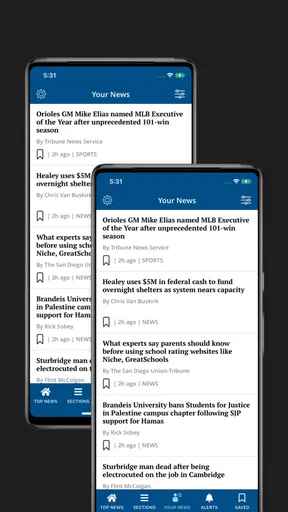
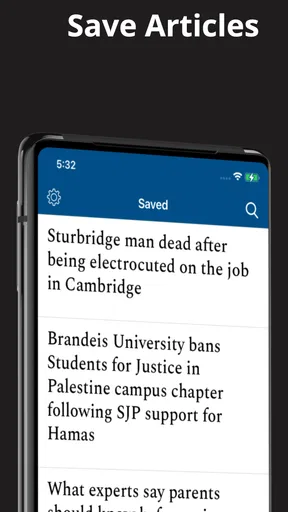
 Analysis by AppCompare
I approached Boston Herald as a reader deciding whether a dedicated newspaper app deserves a place on my phone, rather than as a replacement for every news source I already use. Developed by MediaNews Group, Inc., this free News & Magazines app focuses on Boston reporting from the Boston Herald. That narrow identity is its main appeal: if local coverage is what I want, a direct route to one publication can feel more useful than sorting through a broad news aggregator.
My overall impression is cautious. The app has a long history, having first appeared in October 2010, and it remains available for devices running Android 8.0 or later. At the same time, its current average of 2.4 from roughly 930 ratings suggests that the experience has not satisfied everyone. I would not treat that number as a complete verdict, but I would take it seriously before making the app my only way to follow Boston news.
What the Boston Herald app is really useful for
The best reason to install this app is simple: I want Boston Herald coverage in a focused format. A general news app may mix national headlines, syndicated stories, social posts and algorithmic recommendations. This one is more appealing when I already know which publication I want to read and prefer not to search for its reporting every time.
That focus matters during an ordinary local-news routine. I might check Boston stories over breakfast, scan the headlines while commuting, and return later to read one article carefully. A dedicated publication app can make that habit feel more direct than opening a browser, finding the newspaper, and navigating through unrelated pages. It also gives the Herald a clear place on my home screen, which is useful when local news is part of my daily routine rather than an occasional search.
Still, I would not confuse a publication-specific app with a complete news service. Boston readers who want several viewpoints, neighborhood-level reporting from many outlets, weather, transit updates and national coverage may be better served by combining a few trusted sources. The Herald app makes sense as one part of that mix, especially for readers who already value the newspaper’s voice.
The age rating is Everyone, so the app is positioned for a broad audience. That does not mean every article will suit every reader; news can naturally include difficult subjects. It does mean the app is not presented as an adults-only product, which makes it easier to consider for a shared household device or for someone introducing a younger reader to local journalism with appropriate guidance.
A focused local-news workflow
One practical advantage is reducing the number of steps between opening the phone and reaching Boston Herald coverage. I find that convenience matters more than it sounds. When an app is dedicated to one publication, I am less likely to lose time comparing headlines across unrelated feeds. The trade-off is that I also give up the breadth and personalization that larger aggregators often provide.
Worth Reading Before You Choose

EA SPORTS FC Mobile 26 Is a Bigger Football Game, but It Takes Time

Flipboard Shows What News Apps Must Do Beyond the Feed

Switching to Android Auto Means Rethinking Your Driving Routine

Google Calendar Makes a Crowded Week Easier to Manage

Ludo King Makes the Most of the Minutes Between Plans

Baby Panda World Brings Quick Play to Modern Phones, but Its Game Library Feels Busy
I would use it when I want to catch up quickly, then switch to a browser or another publication when I need broader context. For example, after reading a local political story, I might look for additional reporting elsewhere before forming an opinion. That is not a criticism unique to this app; it is the sensible habit for any single-source news product.
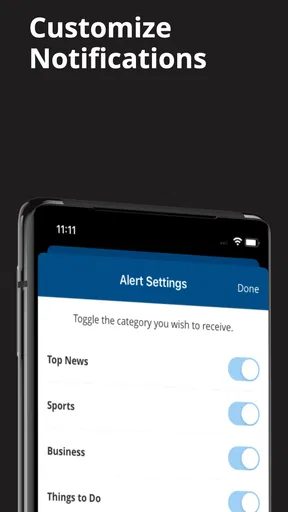
A less obvious consideration is notification discipline. News apps can become distracting if every alert feels urgent. I would review the app’s notification choices during setup and keep only the alerts that genuinely help me. If the available controls are limited on my device, I would use the operating system’s notification settings to reduce interruptions. That keeps the app in a useful role instead of allowing it to dictate my attention.
Trust starts with visible choices
For me, trust in a news app is not based only on the publication name. I look at what the app visibly asks me to do, whether it makes account or subscription decisions understandable, and whether I can use it without feeling pushed into an unclear commitment. Boston Herald is free to download, but it includes in-app purchases ranging from $11.99 to $139.99 per item. That makes it especially important to read each purchase screen carefully before confirming anything.
I would not assume that installing the app means I am buying access, nor would I assume that every article is available under identical conditions. The safest approach is to treat the free installation and paid options as separate decisions. If a subscription or other purchase appears, I would check the amount, billing interval and cancellation route shown by the platform before proceeding. I would also keep purchase confirmation enabled on my device, particularly if the phone is shared with family members.
That is a small but meaningful form of user control. A trustworthy experience should let me understand what I am receiving before money changes hands. If the wording around a purchase feels rushed or unclear, I would stop and verify it through the platform’s own account settings rather than relying on memory.
The current version is 10.0.60, which tells me the app is not frozen at its original release. However, a version number alone does not prove that every part of the experience is polished. I still judge it by how clearly it handles reading, access, updates and account decisions on my particular phone.
Permissions and data-sensitive moments
When I review an app like this, I pay attention to the moments where personal information or device access may become relevant. News reading can involve account details, purchase records, notification preferences and interaction with articles. I would inspect the permission prompts rather than approving everything automatically. A permission should have an obvious connection to something I want the app to do.
For instance, notifications can be useful for major Boston headlines, but they are not essential if I prefer to open the app manually. If the app requests notification access, I would decide based on my reading habits. I would also revisit that choice later if alerts become excessive. The same principle applies to any request that appears during sign-in, subscription management or content access: I want to know why the request is appearing and what I gain by accepting it.
I am careful not to infer privacy practices from the app’s category or developer. The fact that MediaNews Group, Inc. publishes the app does not, by itself, tell me exactly how information is handled. I would therefore use the privacy disclosures shown in the app store and any in-app account or privacy screens as the basis for a decision. If those explanations are easy to find and written plainly, that improves my confidence; if they are difficult to locate, I would limit the information I provide.
A useful habit is to separate reading access from unnecessary personalization. If the app lets me read without creating a detailed profile, I would choose the lighter path unless an account is needed for a specific feature I value. If an account is required for paid access, I would use a strong, unique password and keep payment details managed through the platform where possible. These steps do not guarantee a perfect experience, but they reduce avoidable exposure.
How I would manage an account and purchases
Before signing up for anything, I would decide what I actually need. If I only want occasional Boston headlines, the free installation may be enough for my routine. If I encounter a paid option, I would compare its value with simply reading the publication through another available route. The important question is not whether a purchase is available, but whether it improves my particular reading habit enough to justify the cost.
I would keep a record of the account used for any purchase. This is practical because subscriptions and billing controls are usually tied to the platform account, not just the app icon. If I later remove the app, changing devices should not be treated as cancellation. I would open the relevant Google Play or Apple account controls and check the subscription status there.
That workflow also answers a common concern: what happens if I no longer want paid access? I would cancel through the platform’s subscription management area, confirm the cancellation, and retain the confirmation for my records. Deleting the app is not a reliable substitute. If I never purchase anything, I would still review whether an account is necessary and avoid entering extra personal details simply for convenience.
For families, I would enable purchase authentication and avoid leaving a payment-enabled account unlocked on a shared phone. The app’s Everyone rating may make it suitable for a broad audience, but purchase controls remain the responsibility of the device owner. This is one of those details that is easy to overlook when an app is free to install.
Where it fits beside browsers and aggregators
The usual alternative is a mobile browser. A browser gives me flexibility: I can compare Boston Herald stories with other newspapers, search older coverage and move between local and national sources without installing separate apps. It may also be preferable if I dislike maintaining several news apps. The dedicated app’s advantage is convenience and focus, not universal superiority.
A news aggregator offers the opposite trade-off. It can put many outlets in one feed and help me discover stories I would not have searched for. However, aggregation can make source identity less prominent, and the feed may be shaped by personalization rather than by the publication’s own presentation. I would choose the Boston Herald app when I want a direct relationship with this particular outlet, not when I want a complete overview of the news landscape.
For readers who follow Boston sports, politics or community issues closely, the app may be a convenient starting point. I would still compare important claims with independent reporting, especially when a story affects a major decision or involves disputed details. A dedicated app can improve access to one newsroom; it cannot replace media literacy or multiple perspectives.
Who should install it, and who should skip it
I think the app is worth considering for someone who regularly reads the Boston Herald and wants a dedicated mobile entry point. It may also suit a Boston-area reader who prefers local reporting over a broad, algorithm-driven stream. The free download lowers the barrier to trying it, so a short personal test is more sensible than deciding solely from the store page.
I would be more hesitant if I rarely read Boston news, want a single app covering many publications, or dislike dealing with possible paid access. Someone who values highly transparent controls above convenience should inspect every permission, account prompt and purchase screen before settling in. The modest average rating is another reason to test it on the intended device instead of assuming the experience will be smooth.
People using older phones should check compatibility before planning around it; the app requires Android 8.0 or later. That requirement is not especially demanding for many current devices, but it matters if I am trying to keep an older handset in service. I would also make sure the phone has enough free space and that the operating system is maintained, since app behavior can depend on the wider device environment.
My cautious recommendation
After weighing the focused local-news purpose against the rating history and paid options, I see Boston Herald as a specialized tool rather than an essential all-purpose news app. Its strongest case is convenience for readers who already want Boston Herald reporting. Its weaker case is for anyone seeking broad coverage, extensive comparison between outlets or a frictionless experience with no account or purchase decisions.
I would install it only with a clear plan: use it for local headlines, keep notifications restrained, inspect permissions, and treat every in-app purchase as a separate choice. I would also retain a browser or another trusted source for context. That approach gives the app room to be useful without asking it to do more than it is designed to do.
My final view is cautiously positive for loyal Boston Herald readers, but not a blanket recommendation. The free app is easy to try, the Everyone rating makes it broadly approachable, and its publication-specific focus can make daily reading more direct. Yet the average of 2.4 across its ratings and the presence of paid items mean I would test it patiently and keep control of notifications, account details and billing. If that focused workflow matches your habits, it may earn a place on your phone; if you want the whole news world in one feed, a browser or aggregator will probably serve you better.
Pros
- Covers local Boston news
- politics
- sports
- and community events.
- Provides quick access to breaking stories and developing regional news.
- Includes opinion pieces offering different perspectives on local issues.
- Useful for readers who want a strong New England news focus.
- Clean mobile reading experience with articles organized by topic.
Cons
- Some content may require a paid subscription to access fully.
- Frequent updates can make the app feel busy or notification-heavy.
- Coverage is mainly regional
- with limited national and international depth.
- Certain articles may include advertisements that interrupt reading flow.
- App usefulness is lower for readers outside the Boston area.
FAQs for Boston Herald
What is the Boston Herald app used for?
The Boston Herald app is designed to give readers convenient access to news and reporting from Boston and the surrounding New England region. After exploring the app, users can expect coverage of local politics, crime, sports, entertainment, business, opinion, and breaking stories. It is useful for readers who want regional headlines in a mobile-friendly format rather than relying only on a desktop website.
Is the Boston Herald app free to download and use?
Downloading the Boston Herald app is generally free, but access to all articles and features may depend on the publication’s current subscription and paywall policies. Some headlines or stories may be available without payment, while frequent readers could be asked to subscribe after reaching a reading limit. Before downloading, check the app-store listing and in-app subscription details for the latest pricing and access conditions.
Does the Boston Herald app require a subscription?
A subscription may be required for unlimited access to premium journalism, exclusive articles, or a larger number of stories. The exact arrangement can change, so users should review the available plans inside the app before confirming a purchase. If you already subscribe to the Boston Herald through another platform, sign-in options may allow you to connect that existing account, depending on the publisher’s current support.
What kind of news and features can users find in the app?
The app focuses primarily on Boston-area and Massachusetts news, with additional sections covering New England, sports, entertainment, business, politics, opinion, and lifestyle topics. Depending on the version installed, it may also provide breaking-news notifications, article sharing, saved content, multimedia stories, and links to popular coverage. Feature availability can vary between Android and iOS and may change after updates.
Is the Boston Herald app worth downloading for local news?
The app can be worthwhile for readers who specifically want Boston and Massachusetts coverage, particularly local reporting and regional sports news in one place. Its main advantage is convenience, since stories and alerts can be accessed while away from a computer. However, users should consider advertisements, possible subscription limits, notification frequency, and their preference for the app compared with using the mobile website before installing it.


